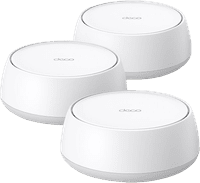
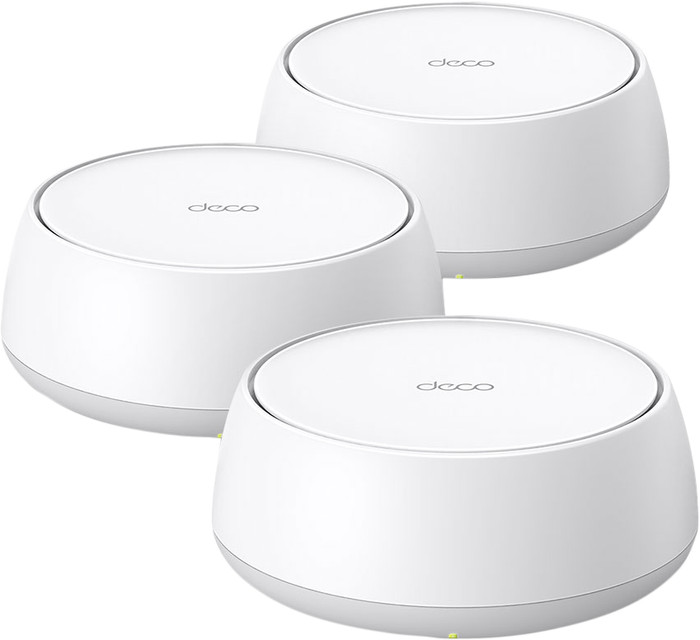
TP-Link Deco BE25 3-pack
Choose your router:
3
Choose the better router so you can use more devices at the same time
Highlighted
The WiFi solution for your living situation
We'll help you find a solution for your WiFi problem in 2 steps here.
Choose your router:
3
According to our router expert
Fastest WiFi standard | Wireless BE (WiFi 7) | |
|---|---|---|
Ethernet speed | 2.5Gb Ethernet (2500Mbps) | |
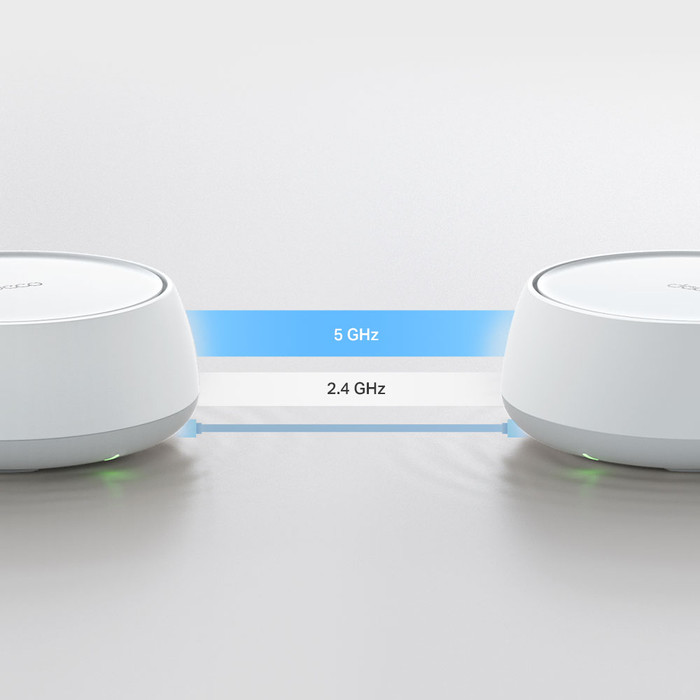
Frequency bands | Dual-band | |
WiFi speed | BE3600 | |
Number of Ethernet ports | 2 | |
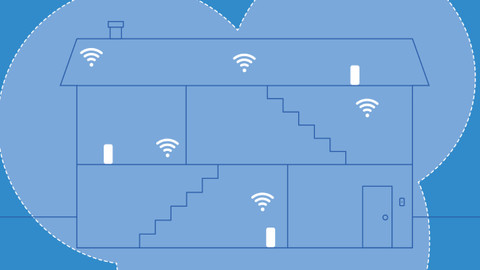
Type router | Mesh WiFi system | |
Number of stations | 3 | |
Living situation | Large apartment, Single-family home |
5 stars
19
4 stars
4
3 stars
1
2 stars
0
1 star
0
I recently tested this TP-Link Deco BE25 WiFi 7 mesh set (in 3-pack). Before I could test this set, I used a WiFi5 (AC3000) set. The WiFi 7 set is at the same locations, with the same (partly) wired backhaul, to make a 'fair' comparison.
After receiving it, the installation was done in no time. Admittedly with the mobile app, because just like other Deco sets. The configuration can only be done via the app. You can access the web interface of the main deco, but you only see a status page there.
The Deco app offers many options and functionalities for the Deco set.
From VPN access, to setting up different networks (Guest Network/IoT Network) etc. New for me in combination with WiFi7 is the use of MLO, Multi-Link Operation (MLO), where your WiFi7 client can use multiple channels and therefore gets more throughput compared to a single link.
The coverage in the house is better than the previous WiFi 5 set. Due to the better coverage, you have a chance that your device will stay connected to a specific Deco for longer. But after turning on 'fast roaming' I no longer notice this. By connecting the main Deco wired to the first floor, and a wireless backhaul between the first and the attic; the speed throughout the house can be called very good.
Despite the capabilities of the set, it is noticeable that logically with a wired backhaul the speeds are significantly better than when using wireless backhaul. Perhaps a somewhat more expensive set with dedicated backhaul antennas offers a solution for the more demanding users.
Besides that, this BE25 set is a great starter and even low priced for a WiFi7 set. For people considering an upgrade from a WiFi5 set, the threshold is not too high with this set.
Kelly
25 March 2025
Automatically translated from Dutch
We have been able to test this mesh system for Review.nl in recent weeks and it worked well. After a quick installation, the nearest devices connected almost immediately. The speed, tested with an iPhone 16 pro, was fine. 900mbps on a connection of 1gbps on the main point which is connected to the router by wire. On the other two it is a lot less, but because they are connected wirelessly that makes sense. I don't notice much of wifi 7, so I have to dive into that.
Tom
28 March 2025
Automatically translated from Dutch
Fast delivery, super quick installation via an app, no relevant knowledge required. The only downside is that you can't hang these units without separate brackets (which TP-Link doesn't make). I ended up having them 3D printed, and now they're hanging.
Mark
27 August 2025
Automatically translated from Dutch
Receive more coverage in case of damage than with your standard warranty. Coolblue takes care of everything: from taking out the insurance to repairs. Is a repair not possible? You receive the purchase price as CoolblueCredit.
XCover is allowed to arrange and process insurances on behalf of the insurer. The insurances are governed by Belgium law. If you have a complaint, you can contact the or our customer service.
First, add your router to your shopping cart. On the next page, choose the Protection Plan below. You always have a 30-day return window and pay no deductible in case of damage.
The insurance can be canceled every year, even if you have paid in advance. If you cancel earlier, you will receive a refund for the overpaid amount.
Product number | 958399 | |
|---|---|---|
Manufacturer code | Deco BE25(3-pack) | |
Brand | TP-Link | |
Warranty | 2 years | |
Processing of your defect | Via Coolblue |
Type router | Mesh WiFi system | |
|---|---|---|
WiFi speed class | High-end | |
Usage situation | Work from home | |
Living situation | Large apartment, Single-family home | |
Number of stations | 3 | |
Can be expanded with extra stations | ||
Built-in modem |
Fastest WiFi standard | Wireless BE (WiFi 7) | |
|---|---|---|
Frequency bands | Dual-band | |
WiFi speed | BE3600 | |
2.4GHz band speed | 688 Mbit/s | |
5GHz band speed | 2882 Mbit/s | |
Number of WiFi antennas | 4 |
Ethernet speed | 2.5Gb Ethernet (2500Mbps) | |
|---|---|---|
Network connector | ||
Number of Ethernet ports | 2 | |
SFP/GBIC ports | 0 | |
PoE support | ||
USB port |
SIM card slot |
|---|
Quality of Service (QoS) | ||
|---|---|---|
MU-MIMMO | ||
Seamless roaming | ||
Beamforming | ||
Port forwarding | ||
LACP Link aggregation |
Parental controls | ||
|---|---|---|
WLAN security | WEP, WPA, WPA-PSK, WPA2, WPA2-PSK, WPA3, WPA3 Personal | |
Firewall | ||
Firewall type | SPI Firewall | |
Guest network | ||
VPN support | ||
VPN server | ||
VPN client | ||
VPN passthrough |
Mounting possible | ||
|---|---|---|
Width | 150 cm | |
Height | 62 cm | |
Depth | 150 cm | |
Weight | 1,31 kg | |
Color | White | |
Material | Plastic |
Power supply type | Power grid |
|---|