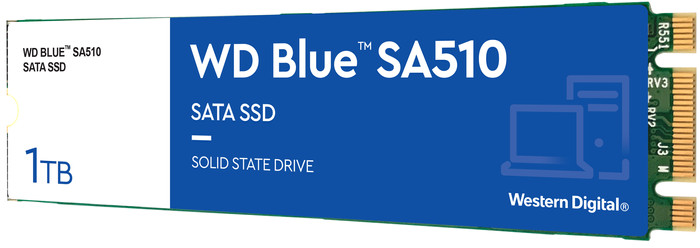
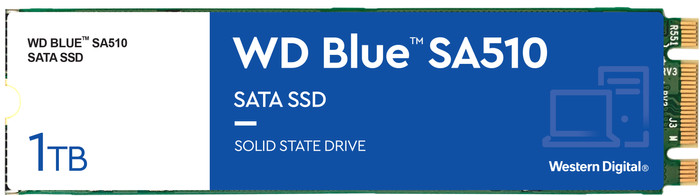
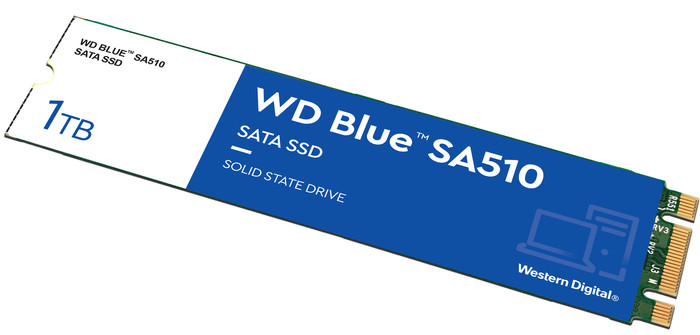
WD Blue SA510 1TB SATA M.2 SSD
Choose your solid state drive (SSD):
1 TB
This is the one
WD Blue SA510 1TB SATA M.2 SSD
Choose your solid state drive (SSD):
1 TB
Current product

230,-
186,-
178,-
186,-
253,-
1 TB
1 TB
1 TB
1 TB
2 TB
M.2 SATA
M.2 NVMe (PCIe)
M.2 NVMe (PCIe)
M.2 NVMe (PCIe)
M.2 NVMe (PCIe)
560 MB/s
7450 MB/s
3500 MB/s
7300 MB/s
7450 MB/s
520 MB/s
6900 MB/s
3000 MB/s
6300 MB/s
6900 MB/s
According to our solid state drive (SSD) expert
Note:this M.2 SSD has a SATA interface and only works if your system supports SATA. Make sure to check this in the manual of your laptop or motherboard.
With the WD Blue SA510 SATA M.2 SSD 1TB, you provide your desktop or laptop with storage for your favorite applications, photos, and videos. Thanks to the B+M key, this SSD fits in every M.2 connector on your motherboard. Keep in mind that your motherboard does have to support SATA. With a total storage capacity of 1TB, you'll have enough space for 100,000 photos or 100 hours of Full HD footage. You can transfer files with a speed of up to 520MB/s and open them with a speed of up to 560MB/s. These speeds are higher than with the lower capacity versions. You can also start your desktop or laptop within seconds and run heavy applications without delay. Western Digital provides a 5-year warranty on this SSD.
Total storage capacity | 1 TB | |
|---|---|---|
Type of SSD | M.2 SATA | |
Maximum read speed | 560 MB/s | |
Maximum write speed | 520 MB/s |
5 stars
7
4 stars
3
3 stars
3
2 stars
0
1 star
0
Installation ease
Reliability
Speed
Price-quality ratio
This new SSD is placed in an external USB storage (ACT AC1600 M.2 SATA SSD) and connected to a USB connection. Using the software as stated on the Coolblue website, data was transferred from the old SSD in Zenbook to the USB-connected new SSD. Piece of cake. You get the same layout, where I then gave the remaining space, after formatting, a separate drive letter. Old ssd of 256Gb removed from Asus Zenbook UX430U, new one installed and everything boots up nicely. Been working for over a week and experienced no problem. Now about 700Gb extra d:-drive for data. Windows is on the c:
Jos
4 August 2023
Automatically translated from Dutch
The first one I bought didn't work, the mac mini kept popping it out and I couldn't write on it. I received a new one from Coolblue (thanks, thank you) and it is working great for now.
Lucy
30 August 2023
Automatically translated from Dutch
Cheap way to expand your PC from 128Gb to 1Tb Definitely recommended... Make sure you order the correct SATA drive, because there are differences between the connections
Vico
12 December 2023
Automatically translated from Dutch
Product number | 915310 | |
|---|---|---|
Manufacturer code | WDS100T3B0B-00AXS0 | |
Brand | Western Digital | |
Warranty | 2 years | |
Processing of your defect | Carry-in warranty |
Total storage capacity | 1 TB | |
|---|---|---|
Type of SSD | M.2 SATA |
M.2 SSD connector type | B+M |
|---|
Depth | 8 cm |
|---|---|
Height | 2,2 cm |
Width | 0,238 cm |
Color | Blue |
Maximum read speed | 560 MB/s | |
|---|---|---|
Maximum write speed | 520 MB/s | |
Output operations per second (IOPS) | 90000 | |
Input operations per second (IOPS) | 82000 |
Average power consumption | 60 W | |
|---|---|---|
Maximum power consumption | 60 W | |
Stationary power consumption | 60 W |
Receive more coverage in case of damage than with your standard warranty. Coolblue takes care of everything: from taking out the insurance to repairs. Is a repair not possible? You receive the purchase price as CoolblueCredit.
XCover is allowed to arrange and process insurances on behalf of the insurer. The insurances are governed by Belgium law. If you have a complaint, you can contact the or our customer service.
First, add your solid state drive (SSD) to your shopping cart. On the next page, choose the Protection Plan below. You always have a 30-day return window and pay no deductible in case of damage.
The insurance can be canceled every year, even if you have paid in advance. If you cancel earlier, you will receive a refund for the overpaid amount.